TinyWebP Converter
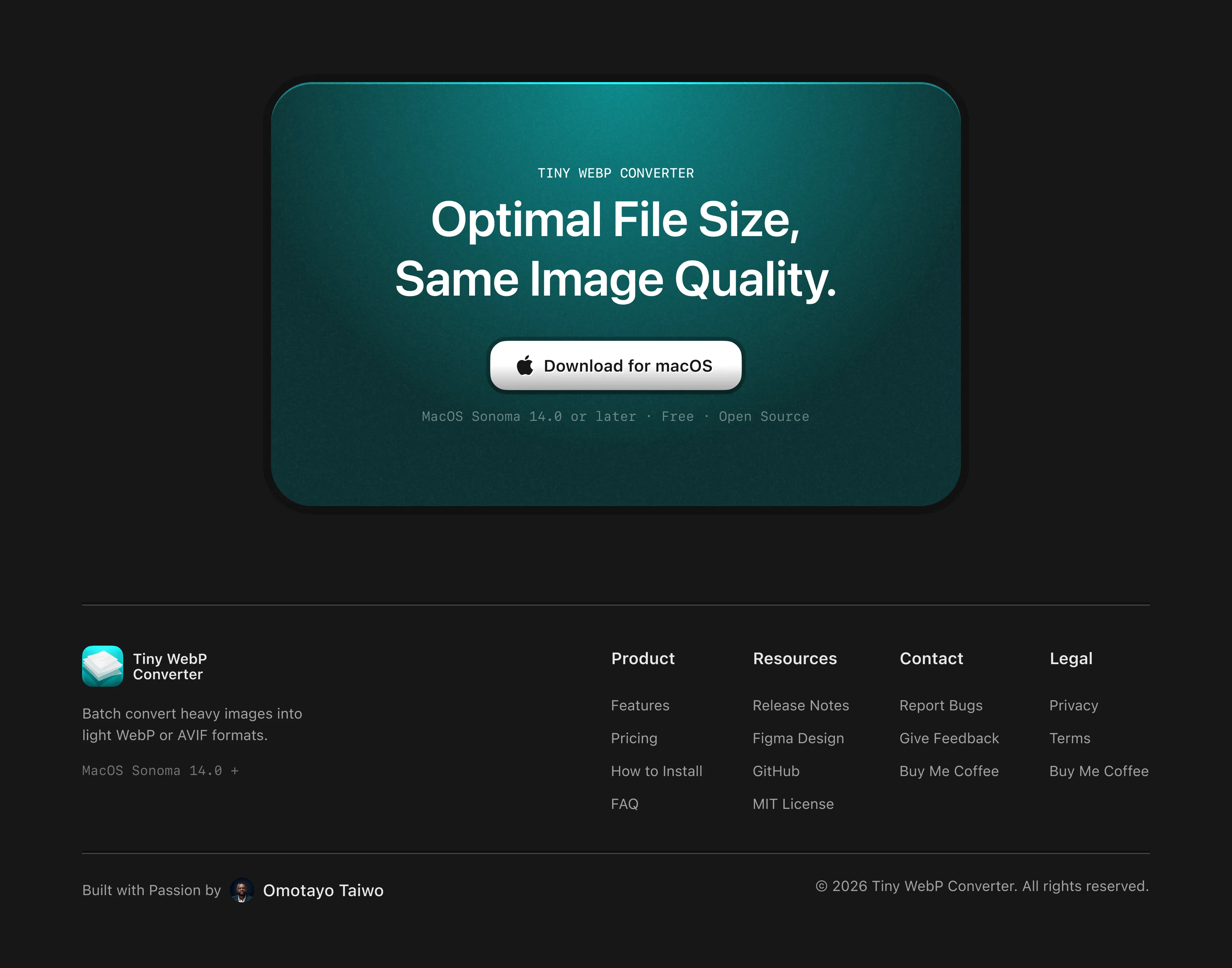
A lightweight macOS image optimization tool that converts common image formats to WebP and AVIF, free and offline. Supports batch conversion of up to 50 images at a time, with controls for compression, quality, resizing, and metadata.
I built TinyWebP to solve a problem I experienced in my own design workflow. I regularly work with large, high-quality visuals for websites and needed an easier way to optimize them without repeatedly uploading files to online converters, downloading the results, and uploading them again.
macOS
Figma
Claude
Xcode
Github
the problem
As a product designer, I work with a lot of visual assets. High-quality imagery is important for presenting digital products and websites, but large image files can negatively impact page performance. I needed a seamless way to optimize my images for web.
I discovered WebP and AVIF could provide a better balance between visual quality and file size, but the process of converting images wasn’t particularly convenient. For a task I needed to perform regularly, the workflow felt unnecessarily long.
Most online tools required me to upload my images, wait for them to process, download the converted files, and then upload them again to my website. Other desktop solutions often limited conversions or placed useful functionality behind subscriptions and lifetime licenses.
the idea
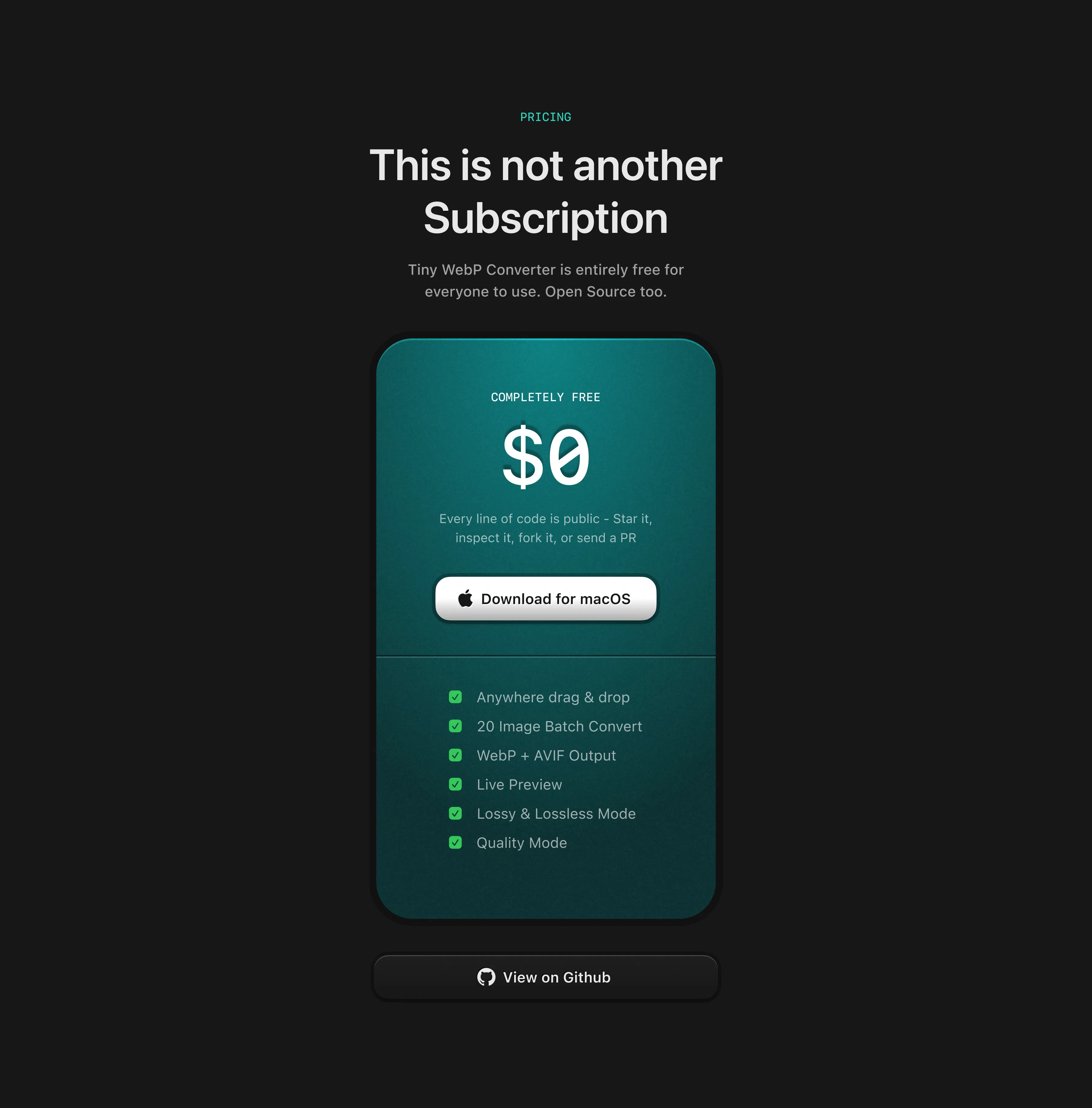
The idea was simple: build a small tool that converted images to WebP. I wanted TinyWebP to do one thing well rather than become another feature-heavy image application. No account, no cloud uploads, no subscription, and no complicated workflow.
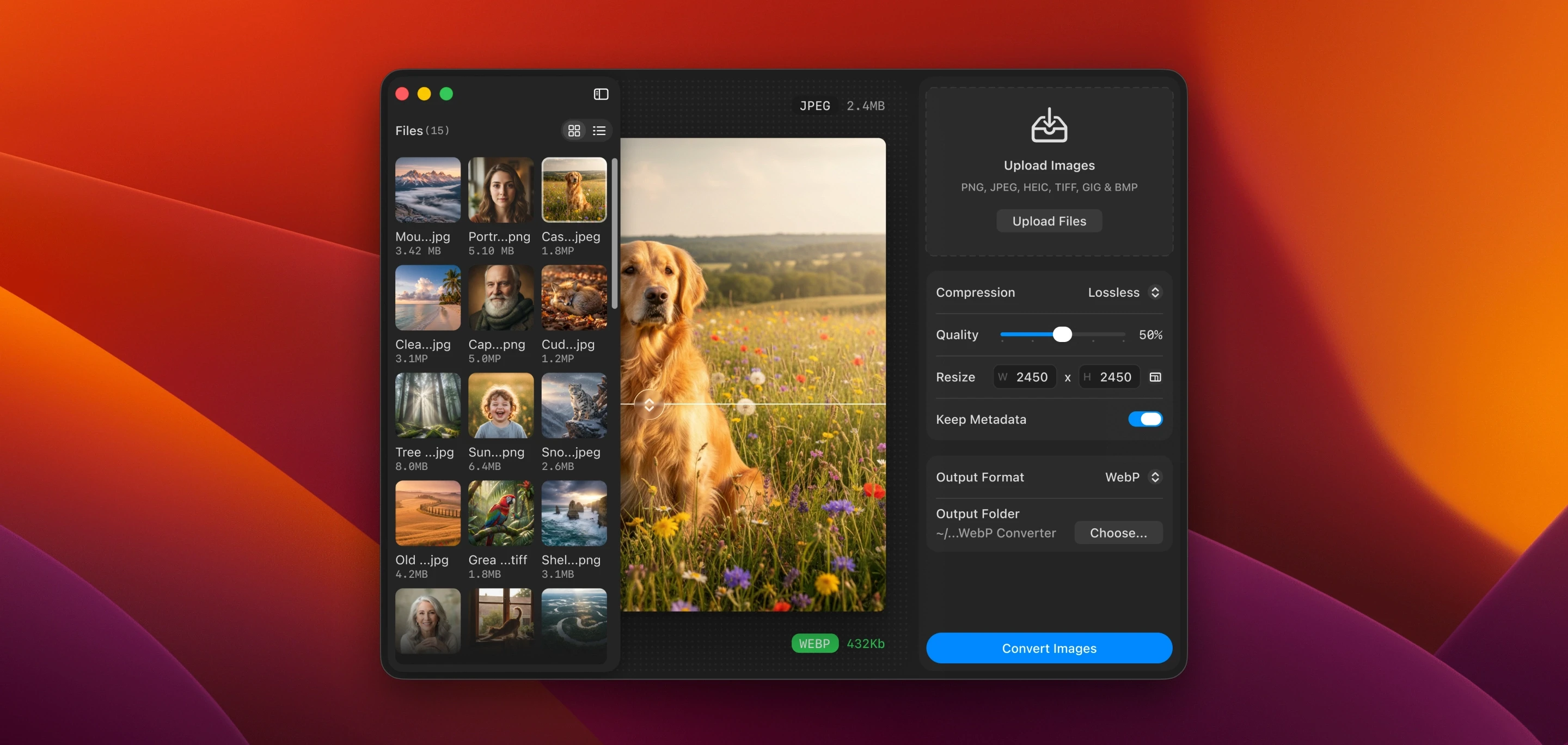
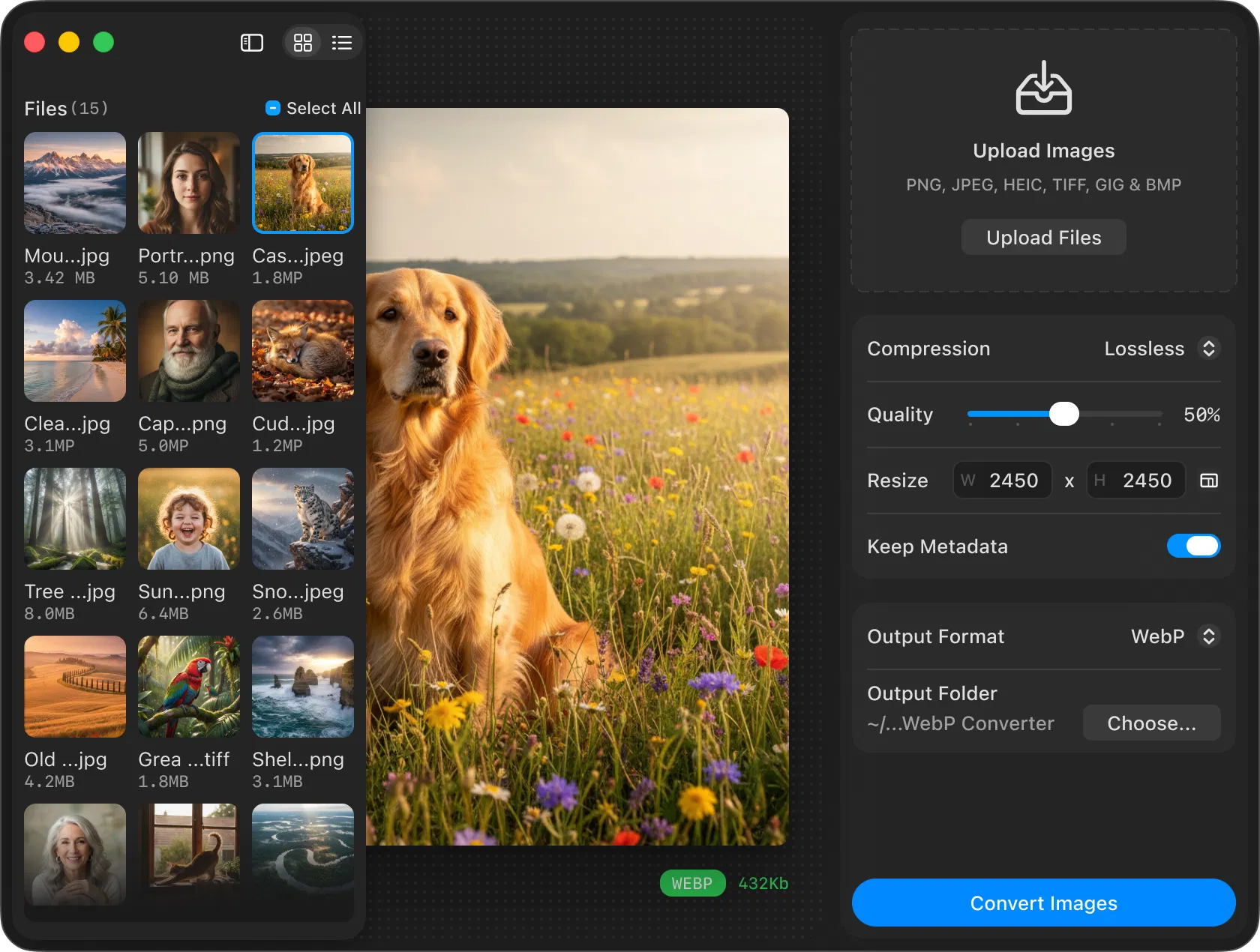
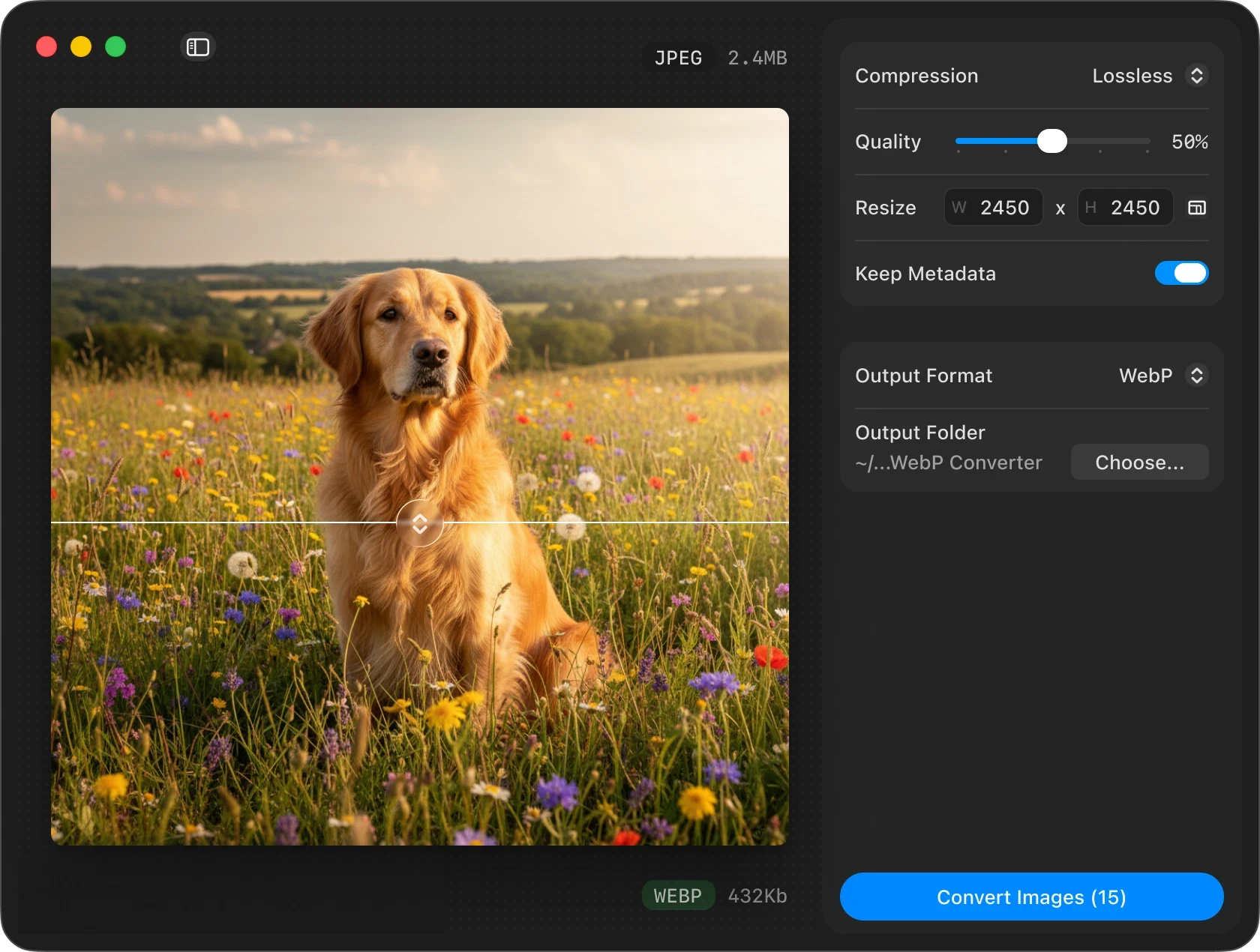
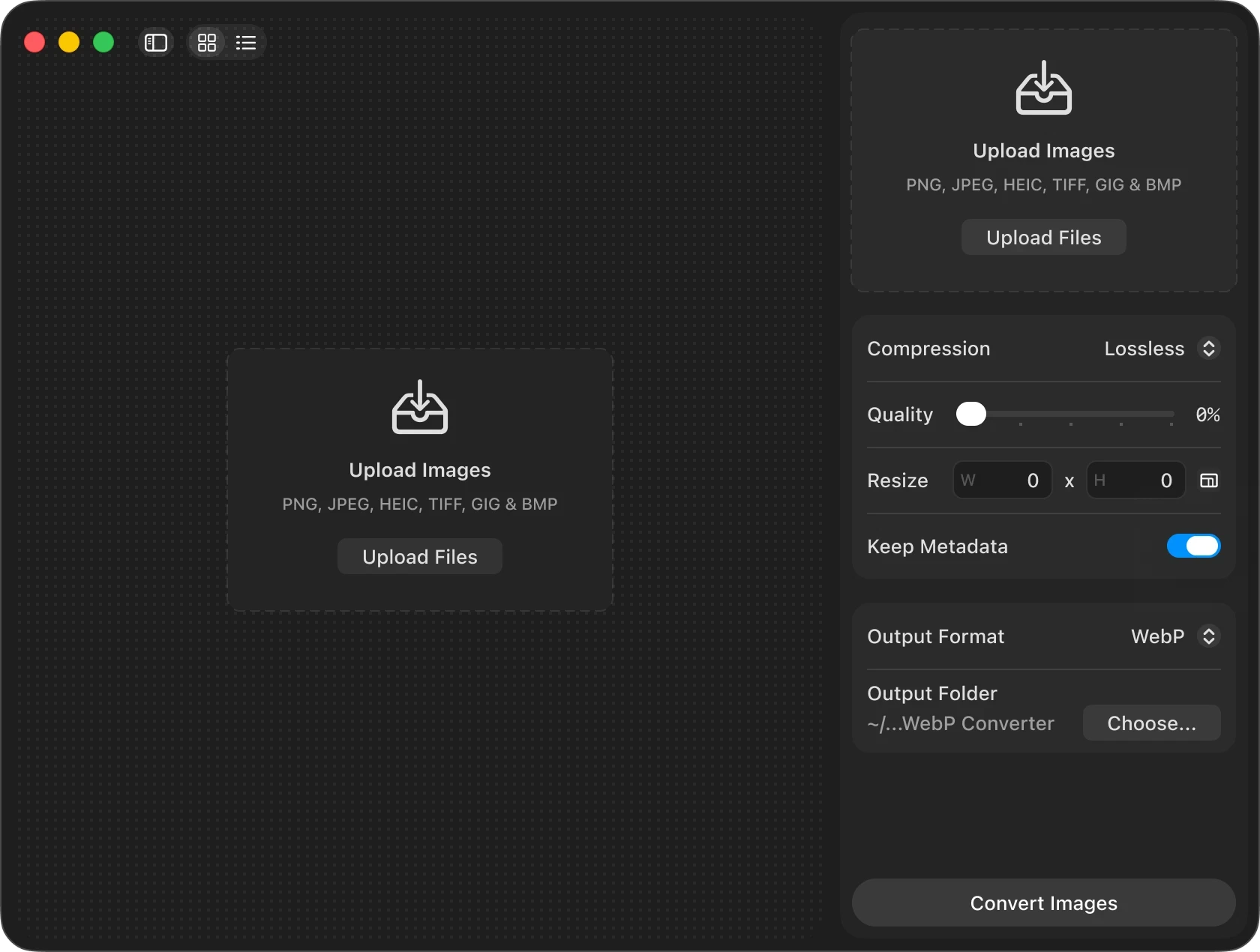
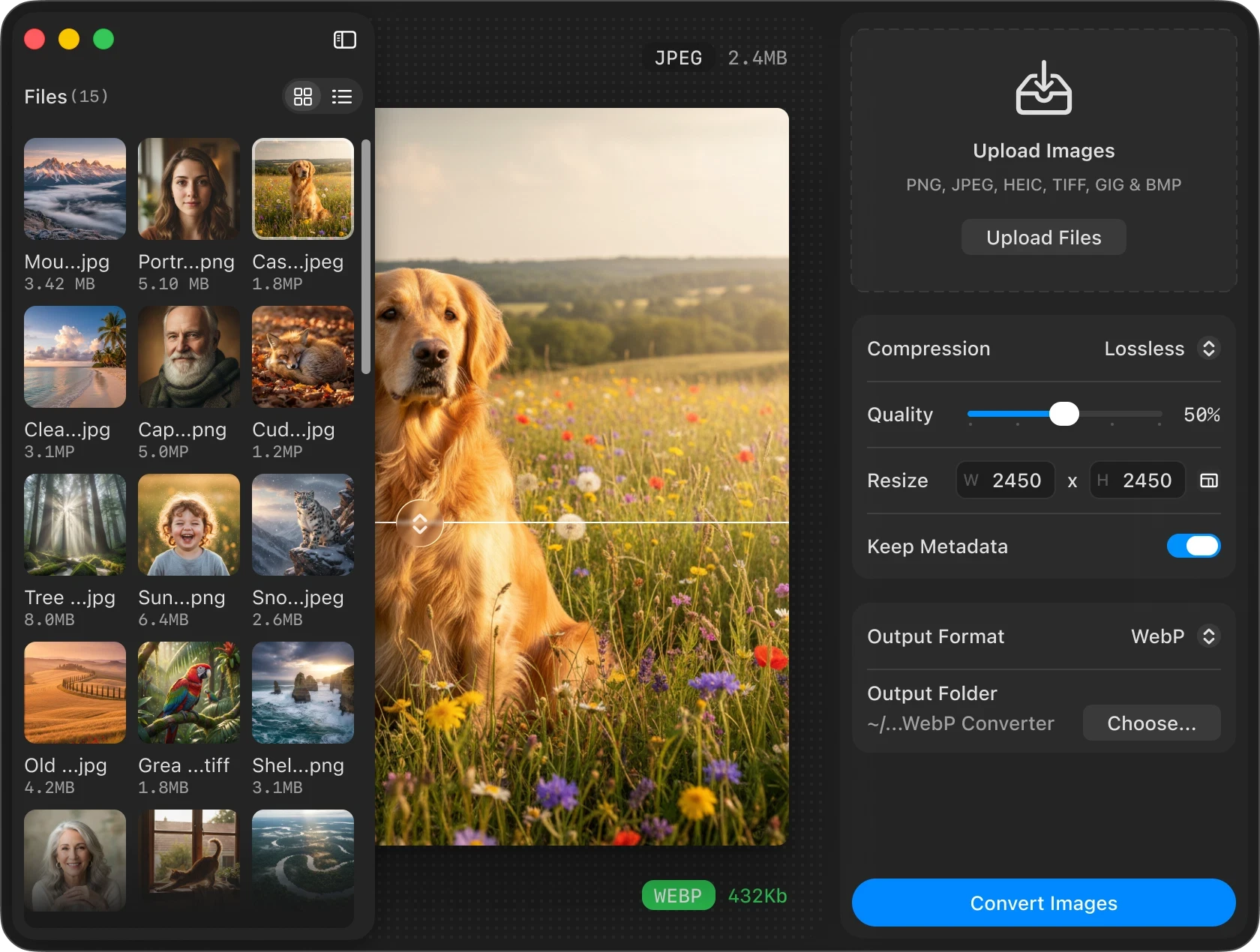
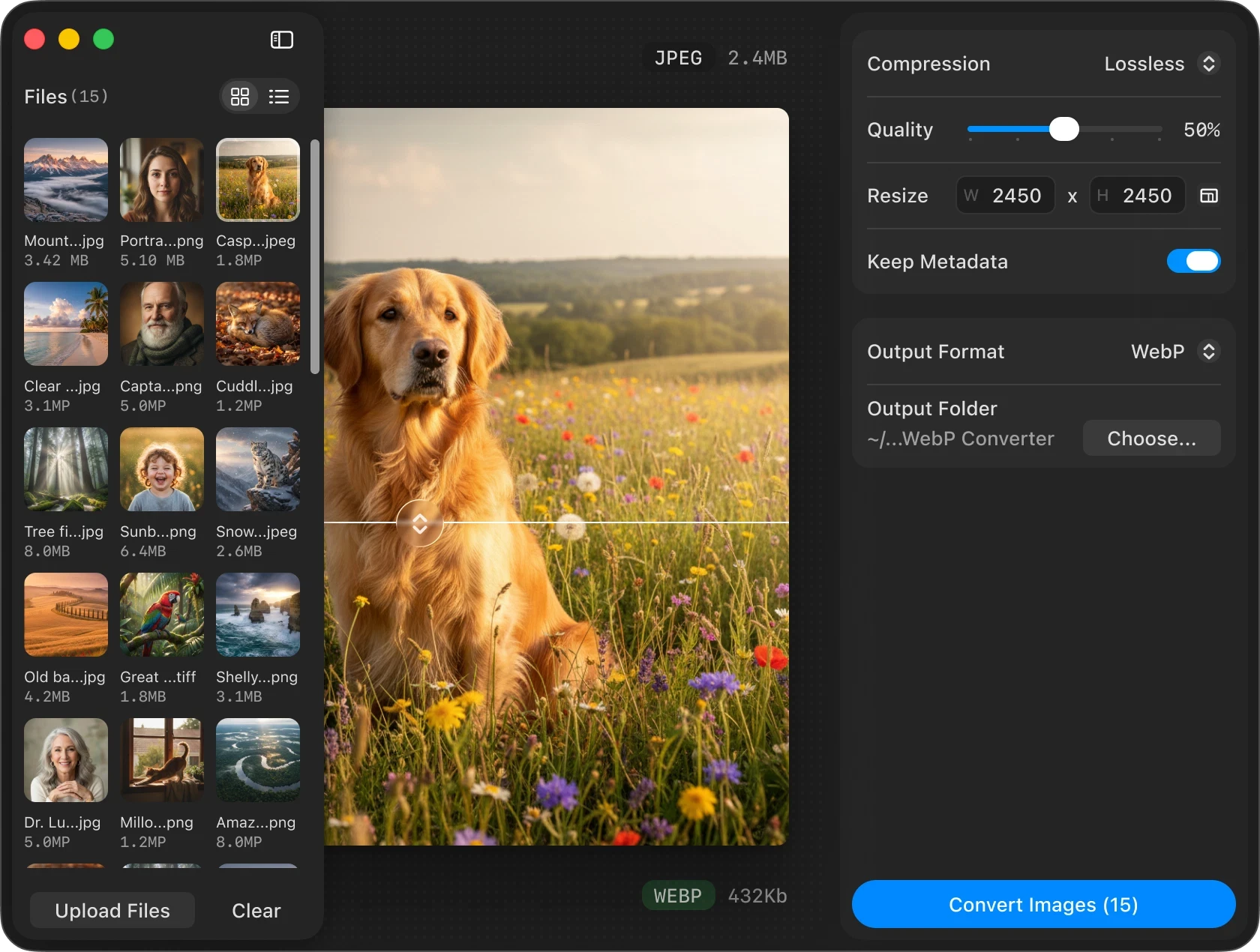
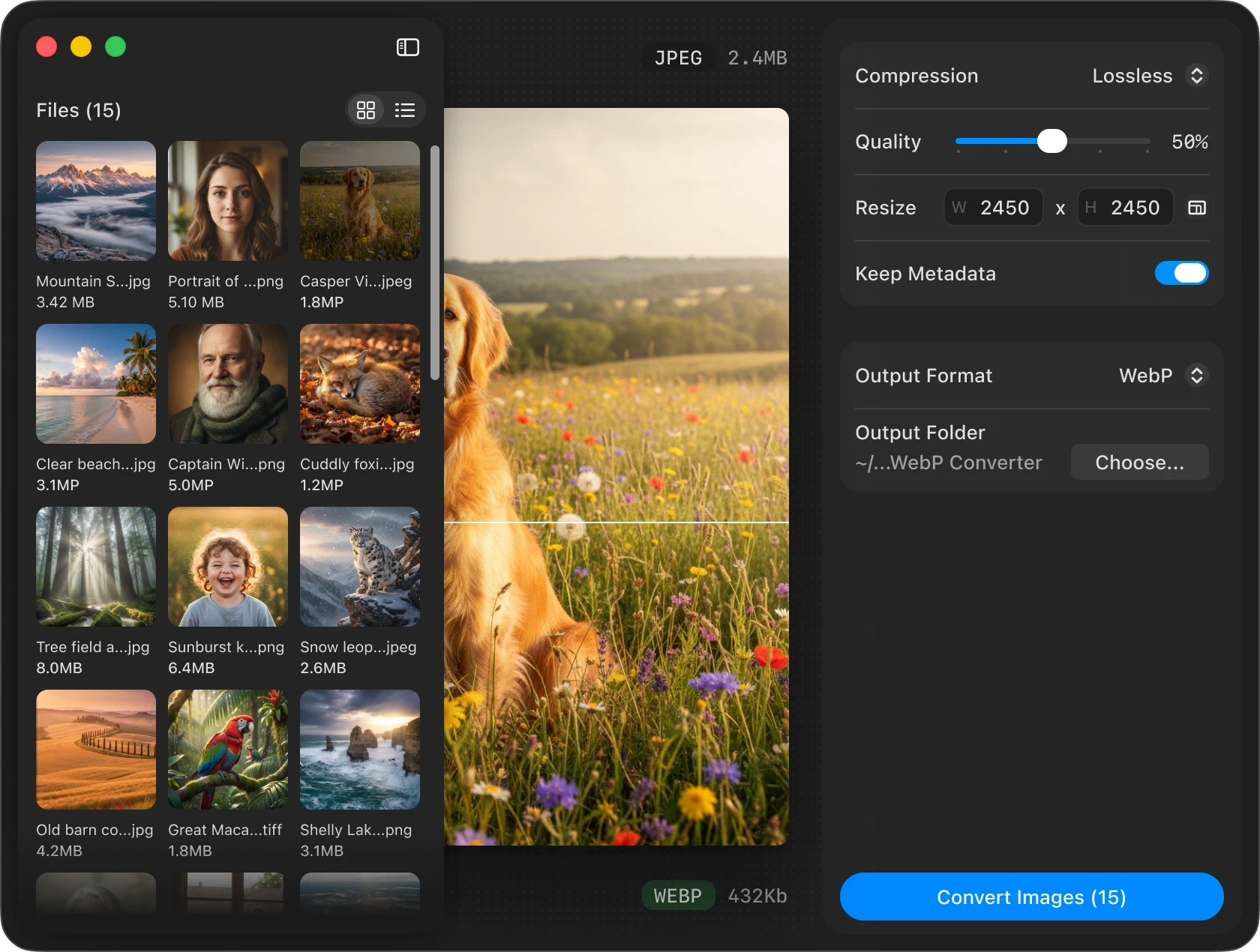
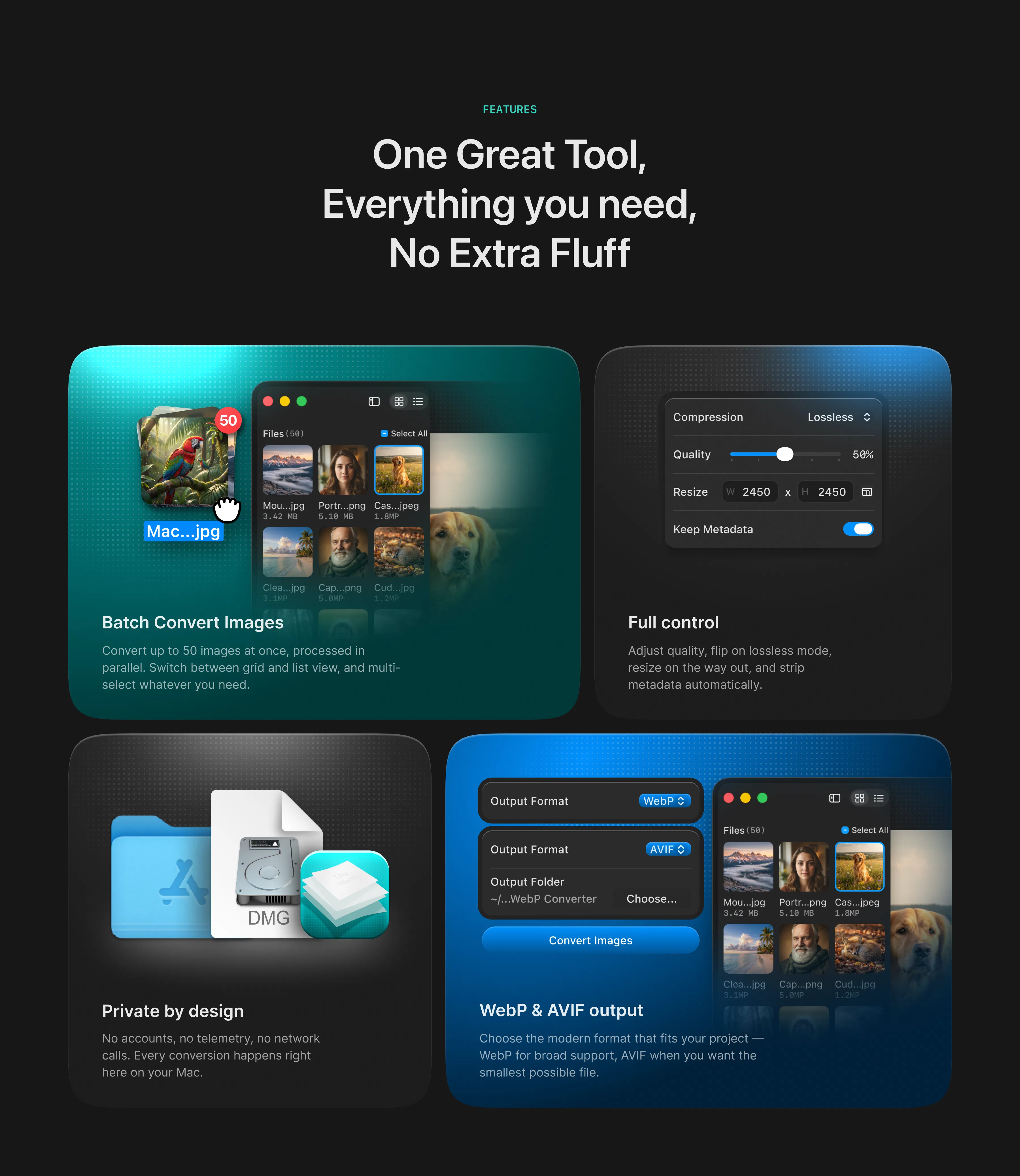
The interface was designed around a simple workflow: bring images in, configure the output, and convert. Users can drag and drop images directly into the application or use the file picker to select individual images or batches of up to 50 files. Once imported, the interface provides a live visual overview of the selected files alongside a preview of the image being optimized.
On the configuration side, users can choose between lossy and lossless compression, adjust quality from 0–100%, resize the image, preserve metadata, and select either WebP or AVIF as the output format. Best compression is usually a lossly one without the metadata.
from figma to macos app
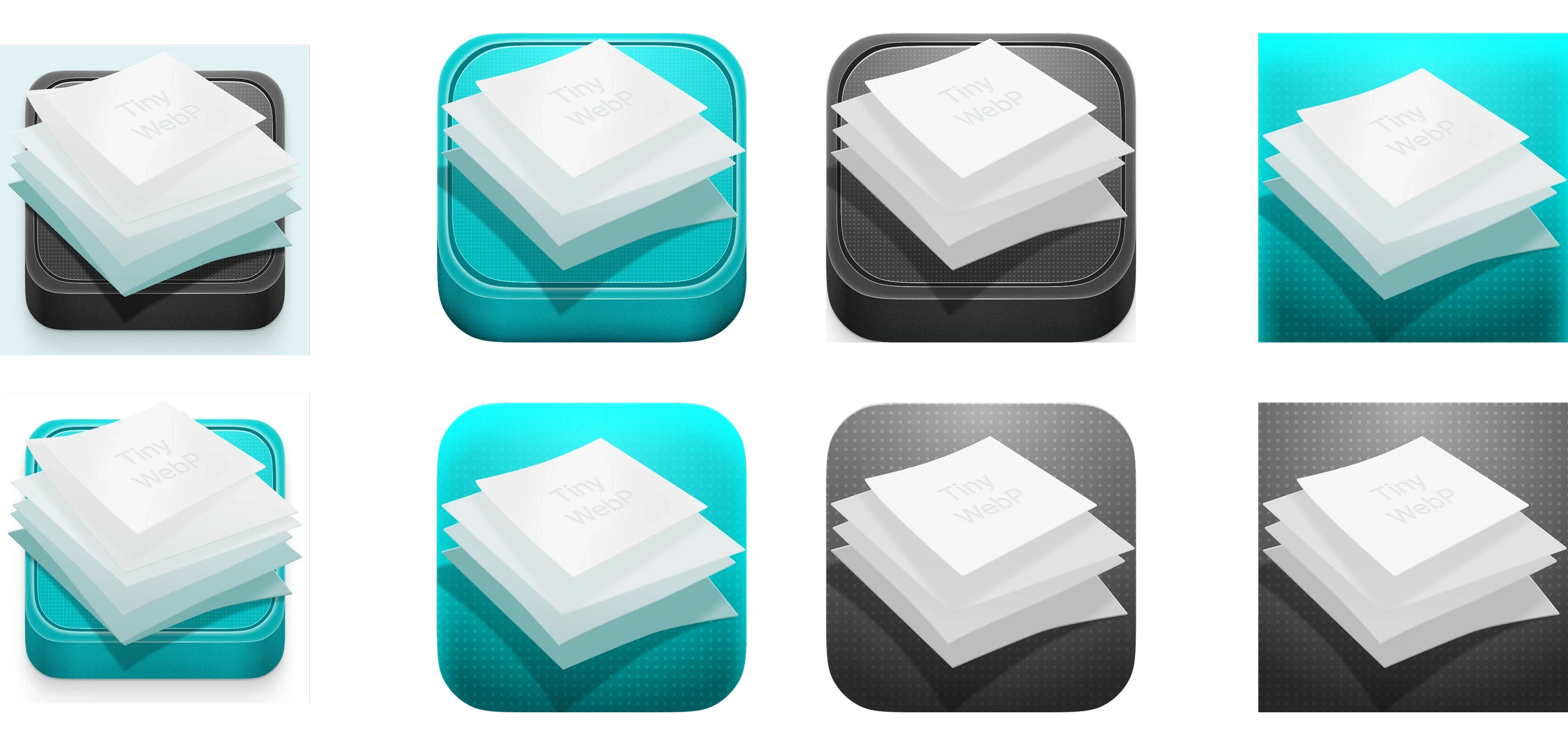
Building TinyWebP gave me the opportunity to take a design beyond the boundaries of Figma and into a real native macOS environment. The application was built with SwiftUI, with Claude helping me through the engineering and implementation process. I remained responsible for the product direction, interface design, code review, GitHub workflow, and the decisions around how the experience should behave.
One of the biggest learning curves was understanding that designing a macOS application isn’t quite the same as designing a web interface. Elements such as the traffic-light window controls, title bar, sidebars, window hierarchy, and native interaction patterns introduced constraints that simply don’t exist on a Figma canvas.
I had to learn how to translate the visual system I designed into the conventions and technical realities of macOS rather than trying to make the platform behave like a design file.


building & iterating
The development process was highly iterative. I moved continuously between the design interface in Figma and the working application and Xcode using each implementation cycle to identify what needed to change.
Claude acted as my engineering partner throughout this process, helping me reason through implementation, write and explaining SwiftUI code, and troubleshoot issues in Xcode. I reviewed and tested the results against the original design and made the product decisions myself.
I also managed the project through GitHub, working with branches, pull requests, merges, and version control as I moved toward a release. This workflow gave me an opportunity to experience the product development process from both sides of the design-engineering boundary.


product launch
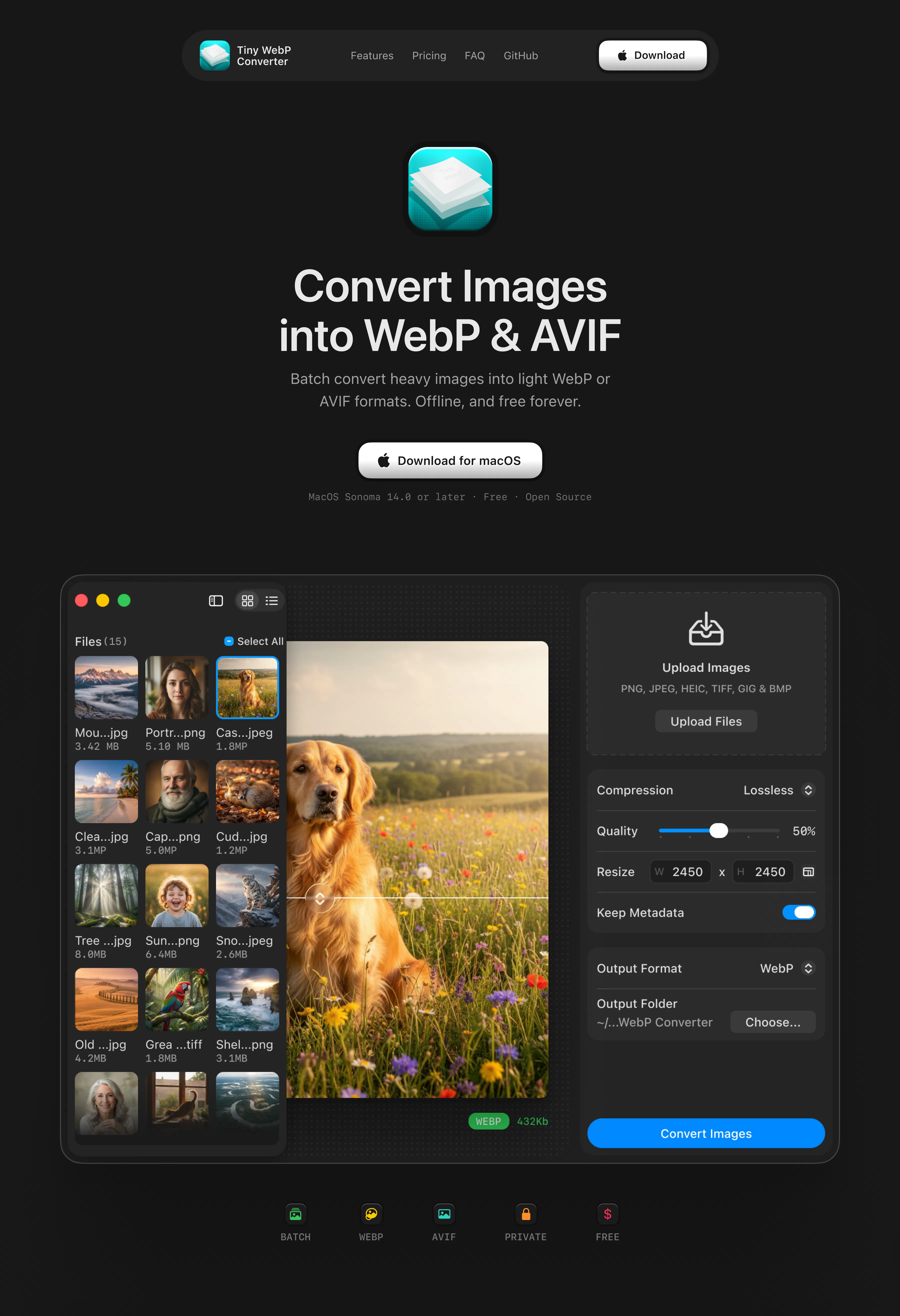
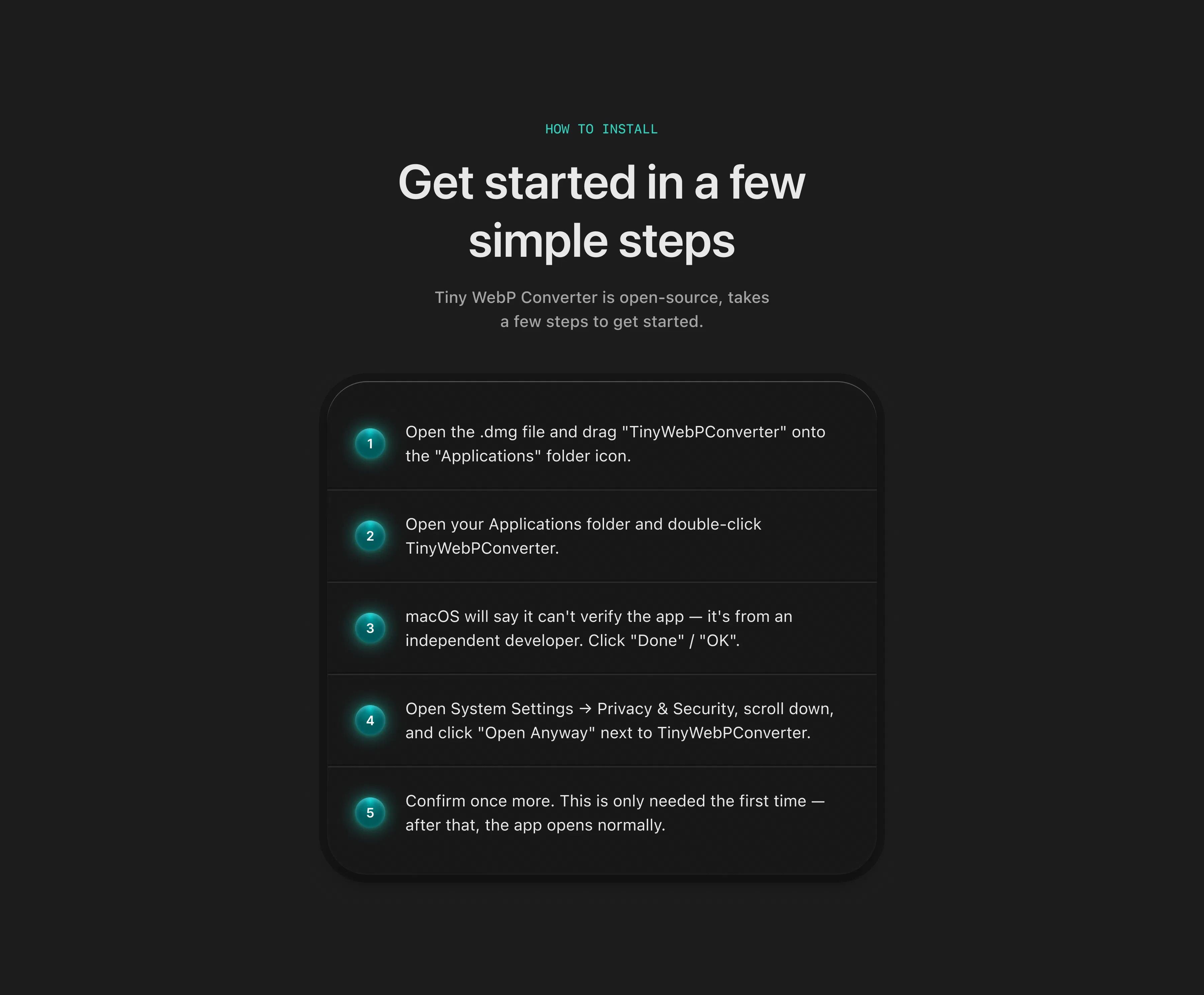
Once TinyWebP was ready, I decided to share it with the public. I created a dedicated website also with Claude, bought a custom domain, set up an official product email, created a social presence on twitter, published the project on GitHub, and launched it publicly through Product Hunt.
The goal was to experience what it actually takes to take a product beyond the interface: packaging it, communicating its value, distributing it, and putting it in front of people who weren’t involved in building it.
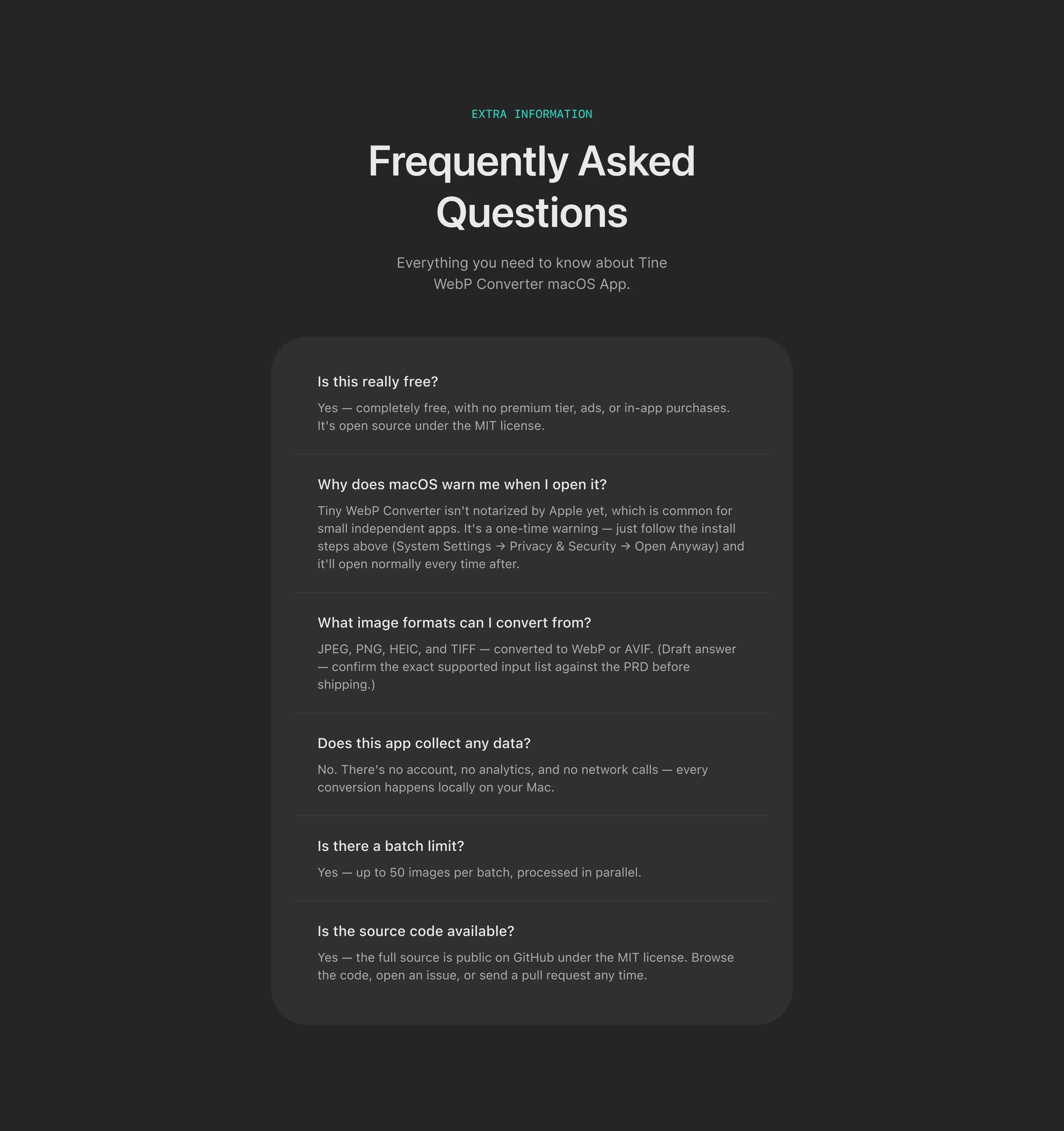
TinyWebP became a complete product rather than simply an application sitting on my Mac. It gained slight traction on twitter and I also shared with some friends and family. You can check it here https://www.tinywebp.xyz/
results
TinyWebP successfully made the transition from a personal workflow experiment into a publicly available product. The first launch as at time of writing 18th August 2026, has generated 75 public downloads, 7 GitHub stars, and 1 fork. More importantly, people outside my immediate circle actually downloaded and used the application, and I received direct feedback on the experience.
One early piece of feedback highlighted an issue with the light-mode interface. I hadn’t originally designed a dedicated light-mode color system, and the feedback exposed a gap I hadn’t caught during development. That became a useful reminder that designing for yourself is not the same as designing for everyone.
Reflection
TinyWebP started with an issue I had in my workflow. I wanted a better solution, so I decided to build one. The project changed how I think about the relationship between design and engineering. I don’t have to stop at design. With the right tools, I can take an idea further.
What I’m most proud of isn’t simply that I managed to create a macOS application. It’s that I took the idea through the entire product lifecycle: identifying the problem, defining the product, designing the interface, working through engineering challenges, managing the codebase, launching it publicly, and getting real people to use it.
AI played an important role in making the engineering side accessible to me, but it didn’t replace the product decisions, design judgment, iteration, or ownership required to turn the idea into something usable. I imagined a solution to a problem, built it, shipped it, and watched someone else use it.
That’s what makes TinyWebP one of the projects I’m most proud of.
See More Projects
" height="826px" id="CFGECf71U" transform="translate(16 37)" width="967px"/></svg>)
" height="878px" id="jzYX4XpMp" transform="translate(38.5 10.5)" width="923px"/></svg>)
" height="675.2074010881328px" id="qON3cBlJB" transform="translate(50 112)" width="900px"/></svg>)
" height="849.9947588610369px" id="K0CrmvnJi" transform="translate(50 25)" width="899.9999815739866px"/></svg>)
" height="610.9999996551245px" id="v_u7AtZj4" transform="translate(17 144.5)" width="965.9999876835096px"/></svg>)